
Before you cancel: what will you lose access to?
When your QR Premium subscription ends, you’ll lose access to Premium features. Any mobile-friendly landing pages and additional links you have set up using Premium will stop working, so customers will no longer be able to access this content through your QR code.
You can continue to use your existing printed QR codes, but you’ll need to set a single destination web address using QR Basic. This means you don’t need to create or print a new QR code, but you should update where it directs users before your Premium access ends.
For more information see the article
How to cancel your QR Premium subscription
Sign in to My GS1
Go to My subscriptions
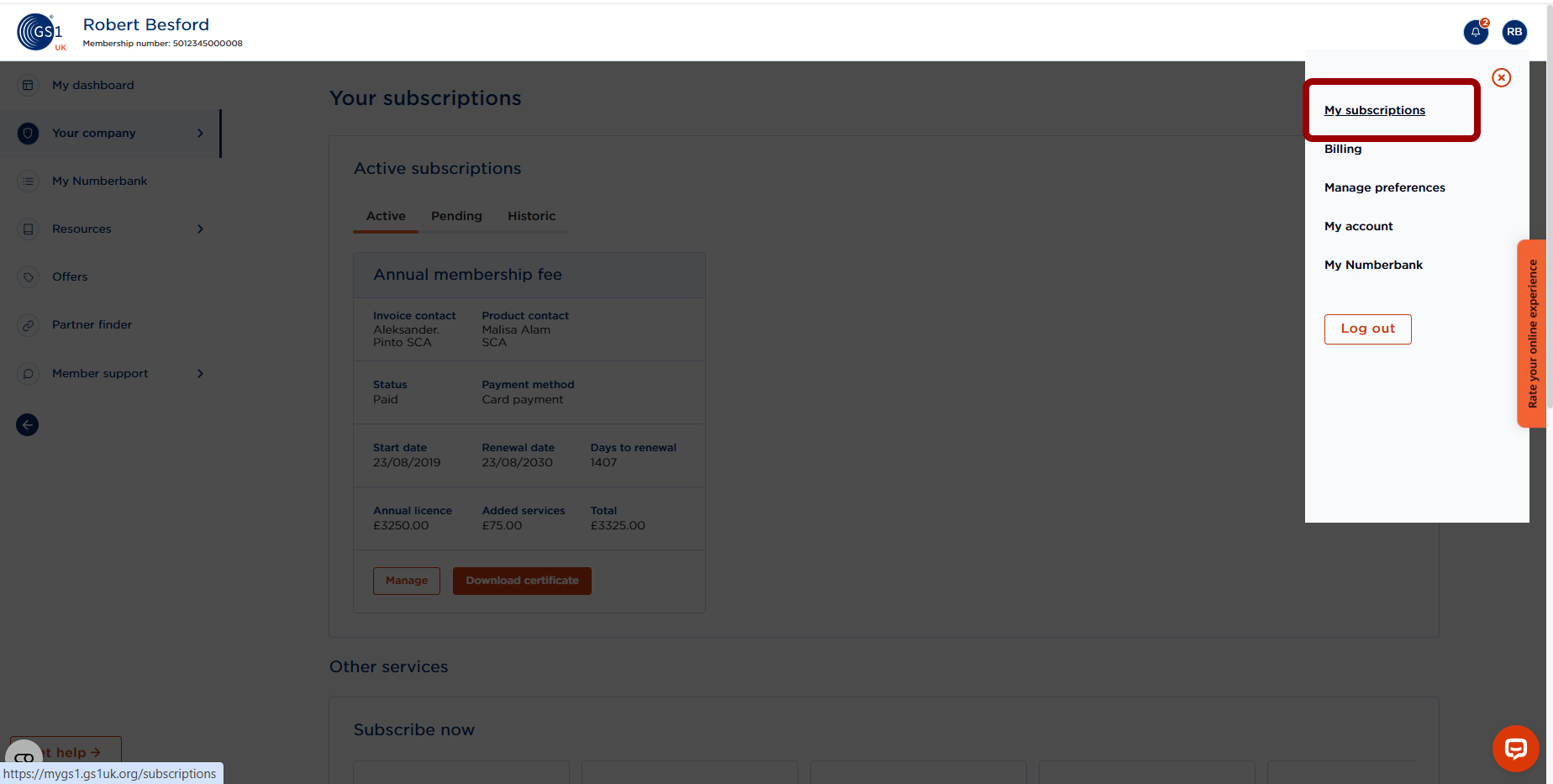
Find your QR Premium subscription
Select Cancel subscription
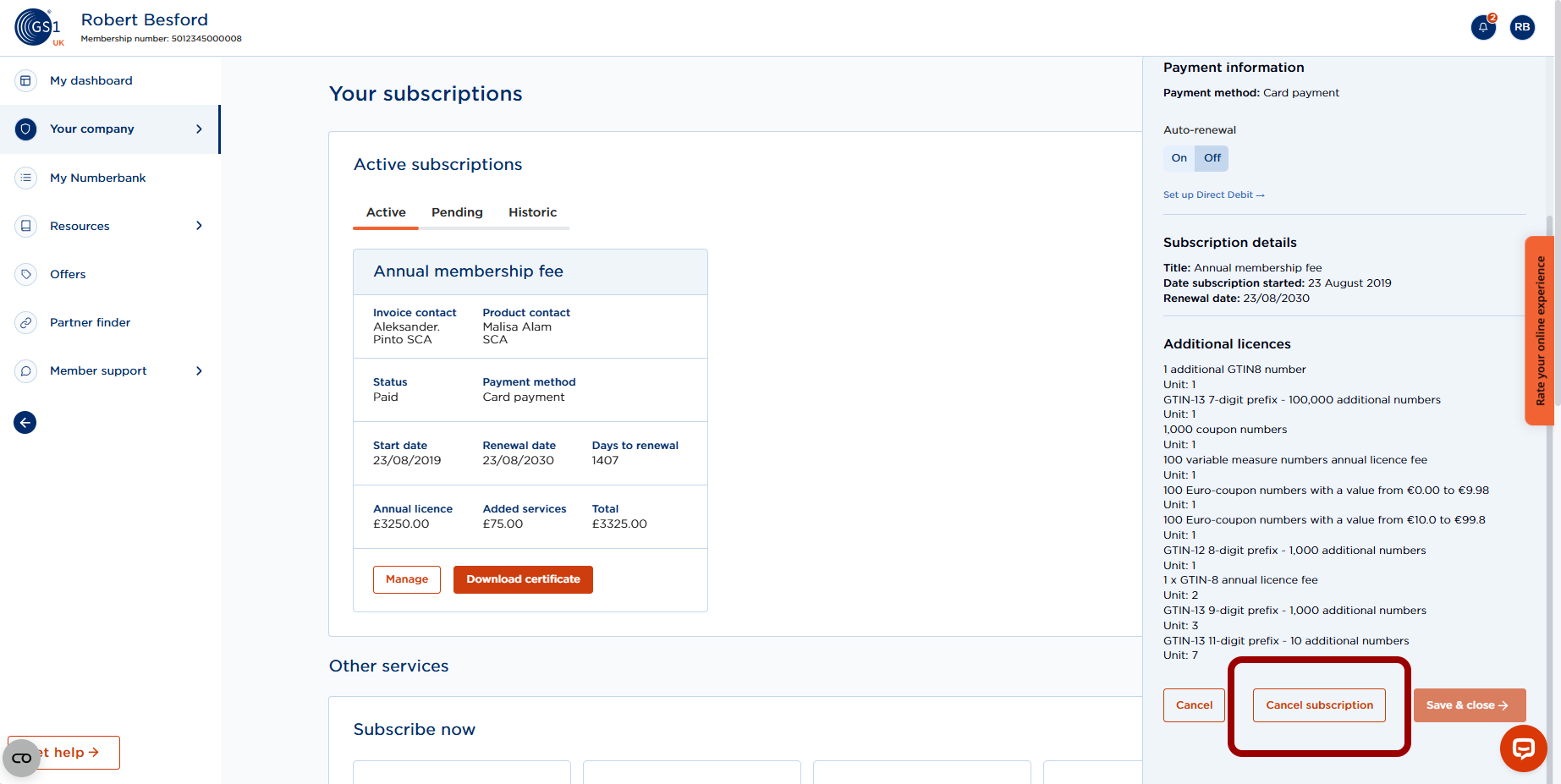
Follow the on-screen instructions to confirm your cancellation
What happens after you cancel?
You can cancel your QR Premium subscription at any time. You won't receive a refund for the remaining subscription period, but you'll keep access to QR Premium until the end of the period you've already paid for.
Once your subscription period ends, your Premium functionality will stop. If you want your existing QR codes to continue directing users to online information, you'll need to set a single destination using QR Basic.
Frequently asked questions
Your mobile landing page and any additional links created using QR Premium will stop working. To keep directing customers to online information, you'll need to set a single destination web address using QR Basic.
No. Your existing QR code can continue to work as long as you set a new target web address using QR Basic.
No. You can keep your existing printed QR code. You only need to update the web address it directs users to.
Yes. If you upgrade to QR Premium again, your Premium features can be reactivated for your new subscription period.