
How to activate your additional free allocation GTINs
Go to My GS1 and log in with your email address and password.
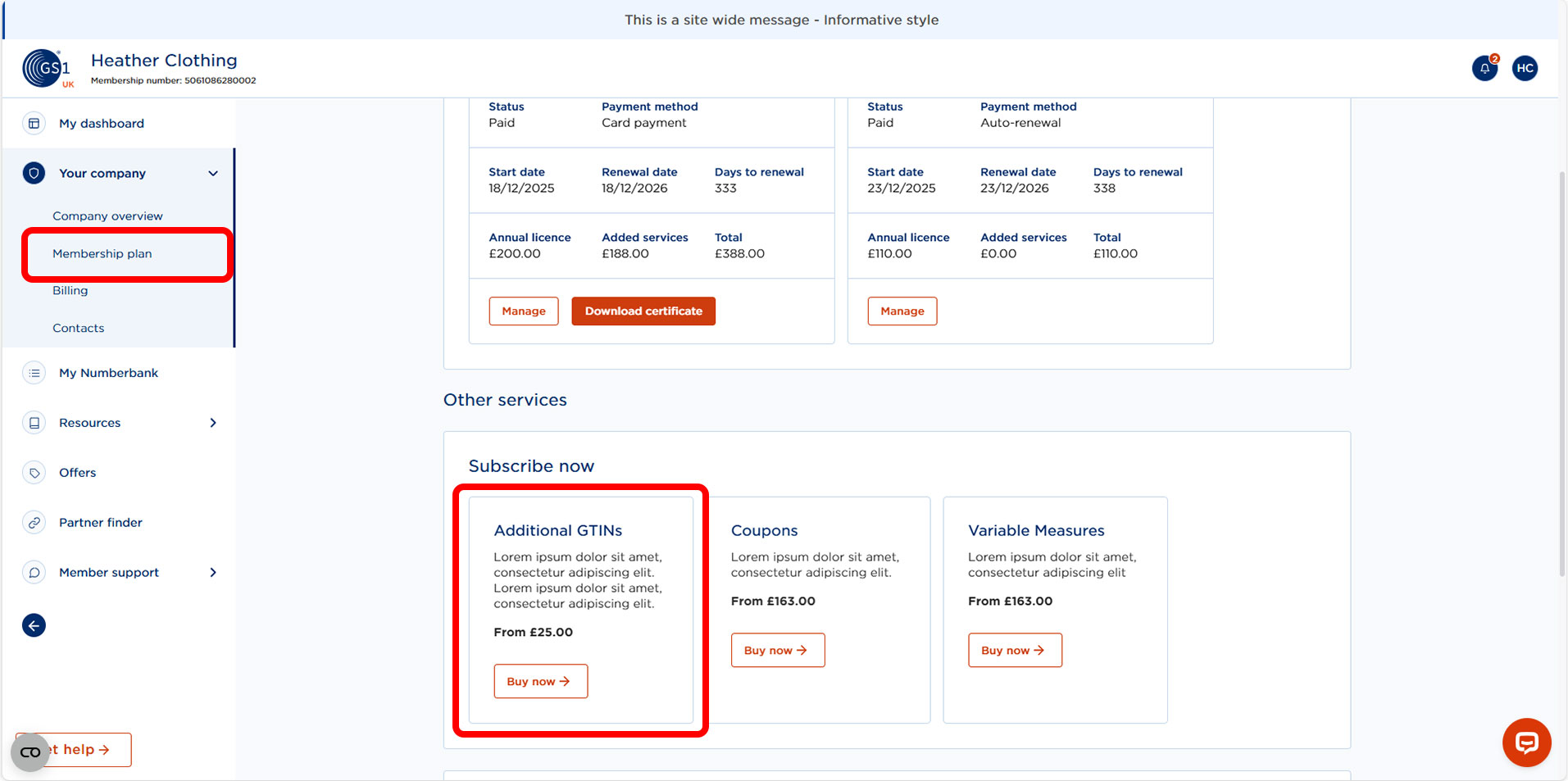
Below Your company select Membership plan. Under Other services select Additional GTINs.
The number of free, allocated GTINs will be displayed to you at the top of the screen.
Select how many GTINs you would like to release and select Add GTINs.
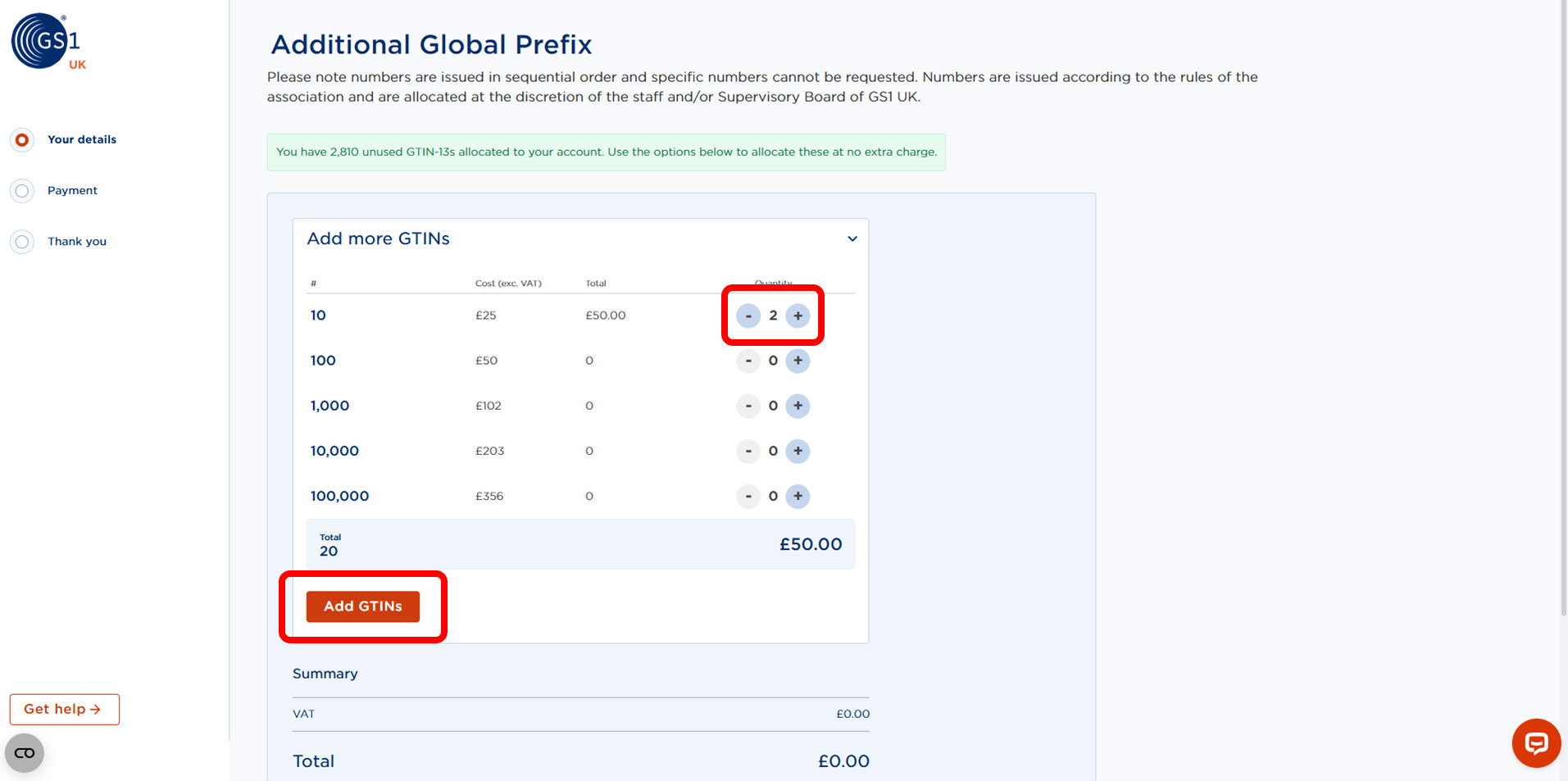
*Prices reflected in the screenshots are not actual pricing and for demonstration purposes.
You will then see the summary of your order and your total cost. This will show as £0.00 and you will not be charged anything.
Agree to the terms and conditions and continue.
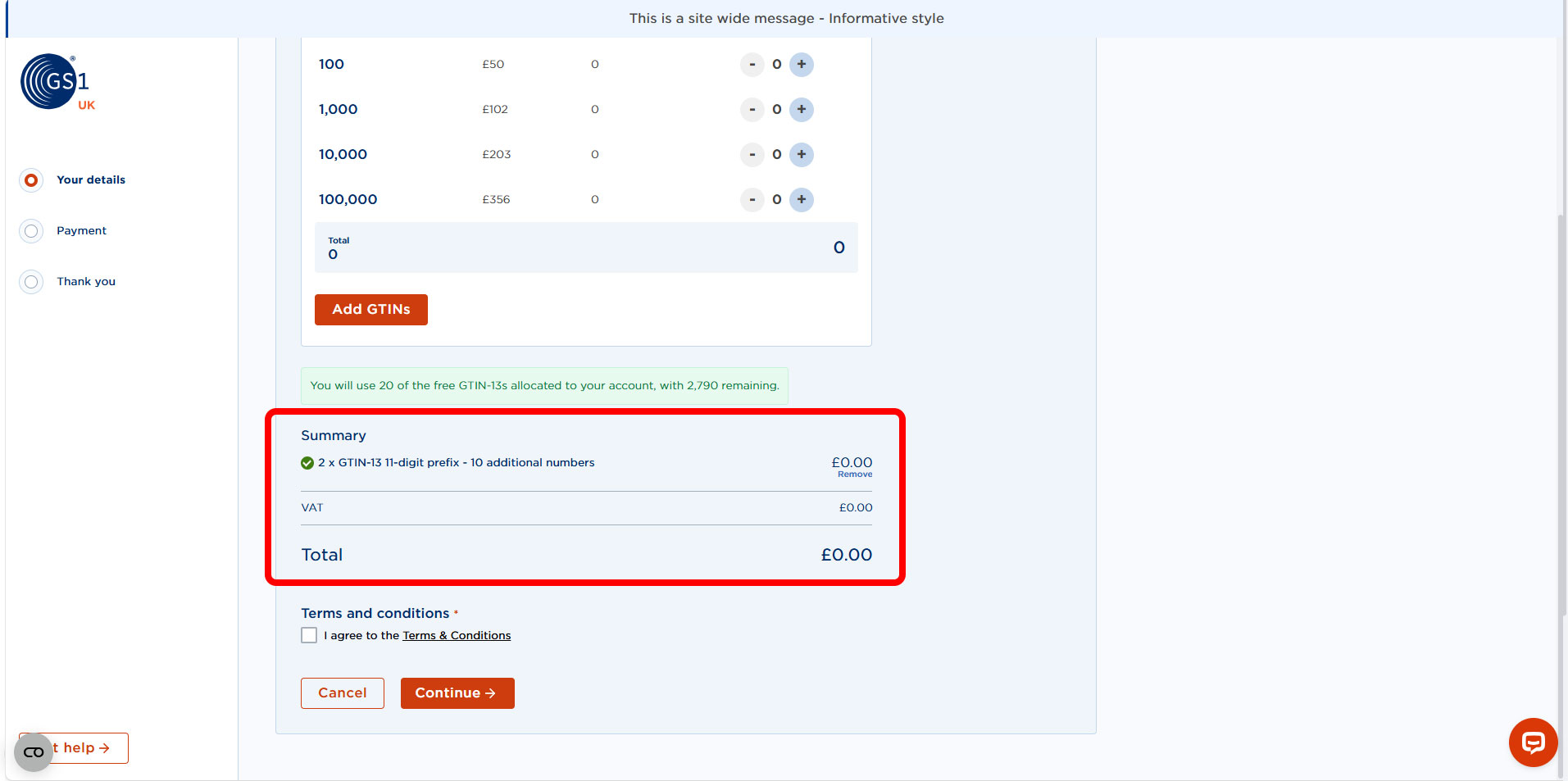
*Prices reflected in the screenshots are not actual pricing and for demonstration purposes.
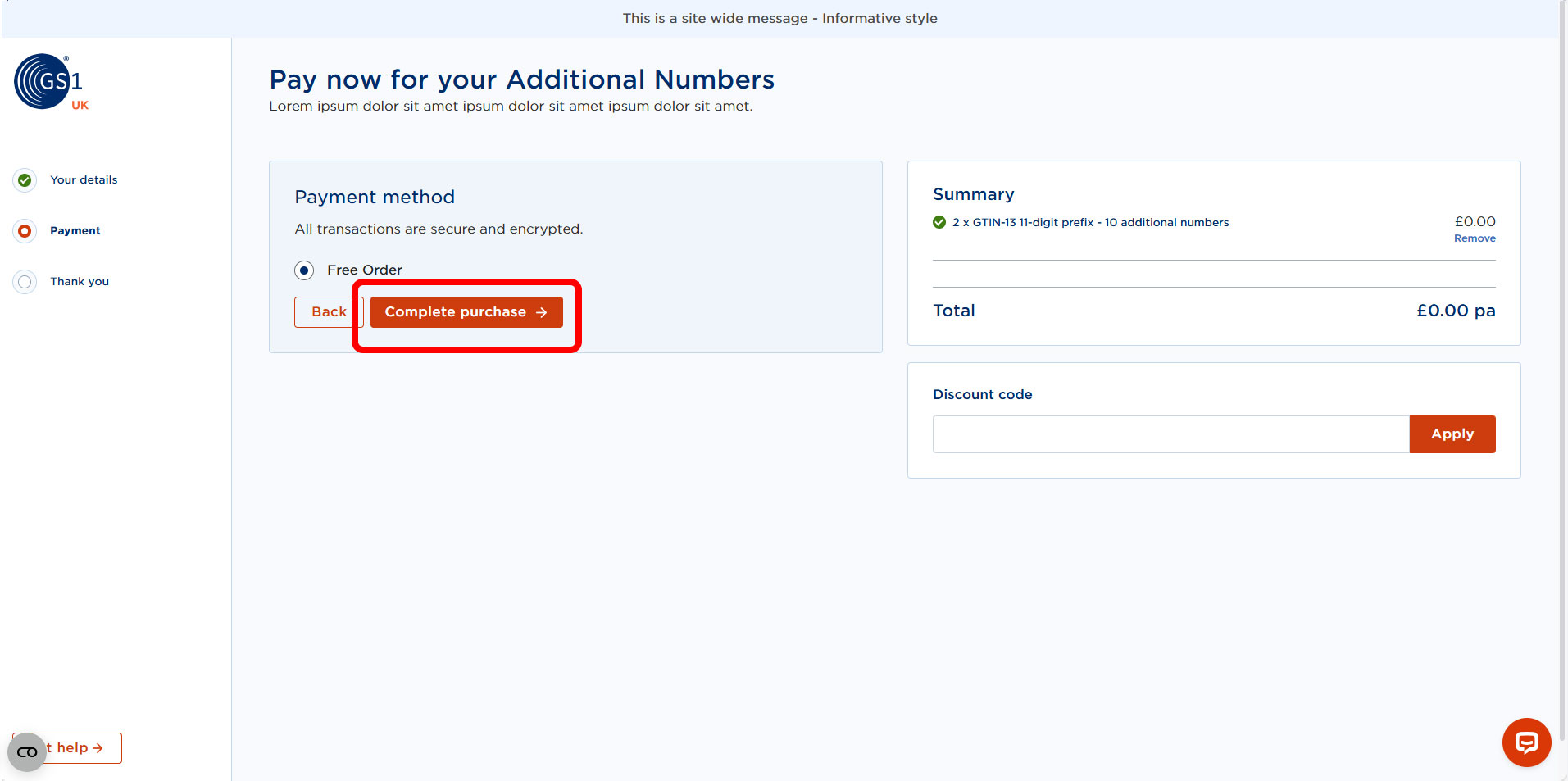
You can then complete your purchase and your additional numbers will appear in My Numberbank, ready for you to use straight away.
Need more GTINs?
Once you have used up your free allocation and still need more GTINs, you can repeat this process but you will be given options to purchase additional GTINs. This is detailed in the following article.