
Increasing your company turnover
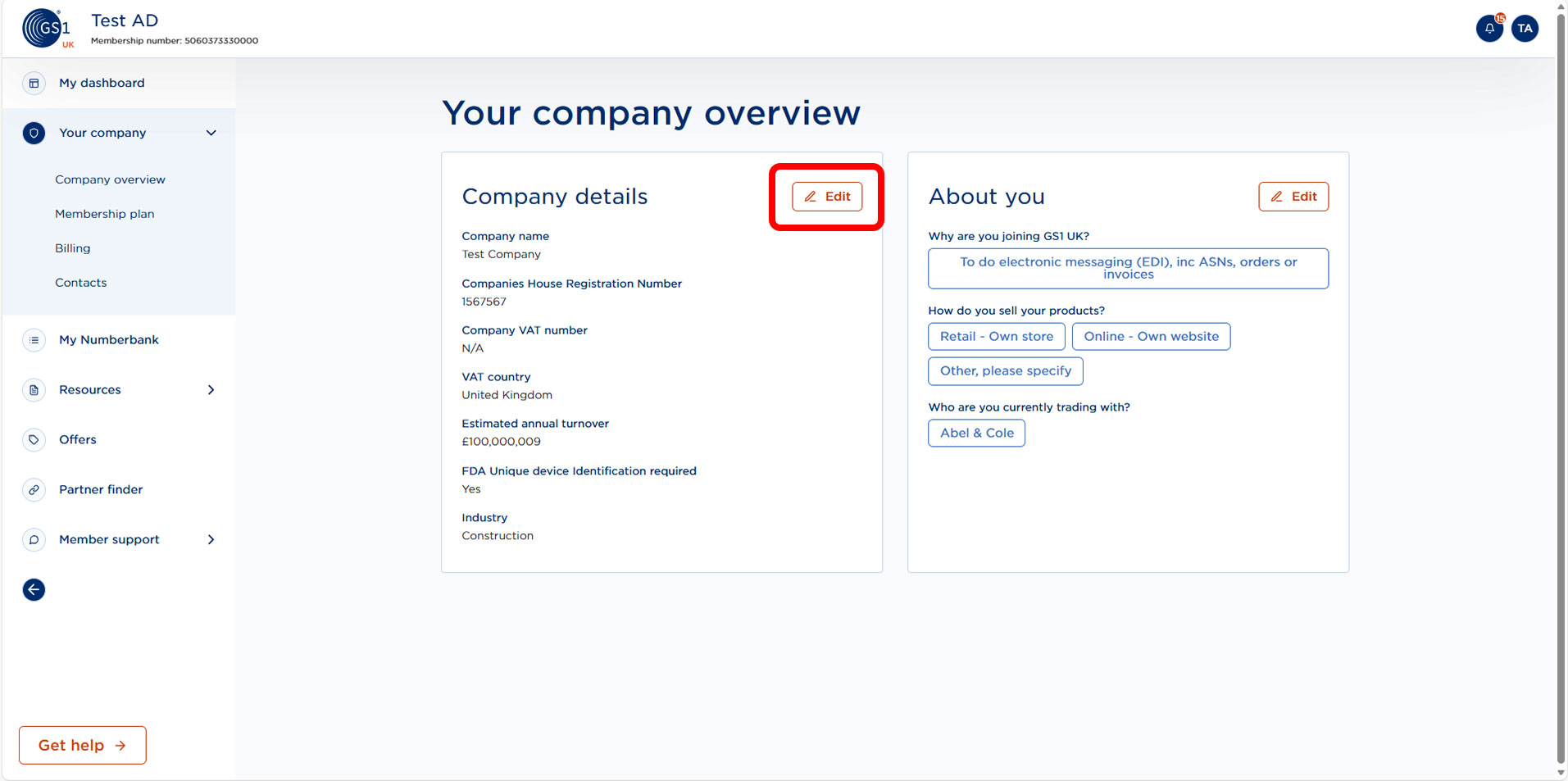
To increase your company turnover, click on the edit button next to Company details in Company overview under Your Company.
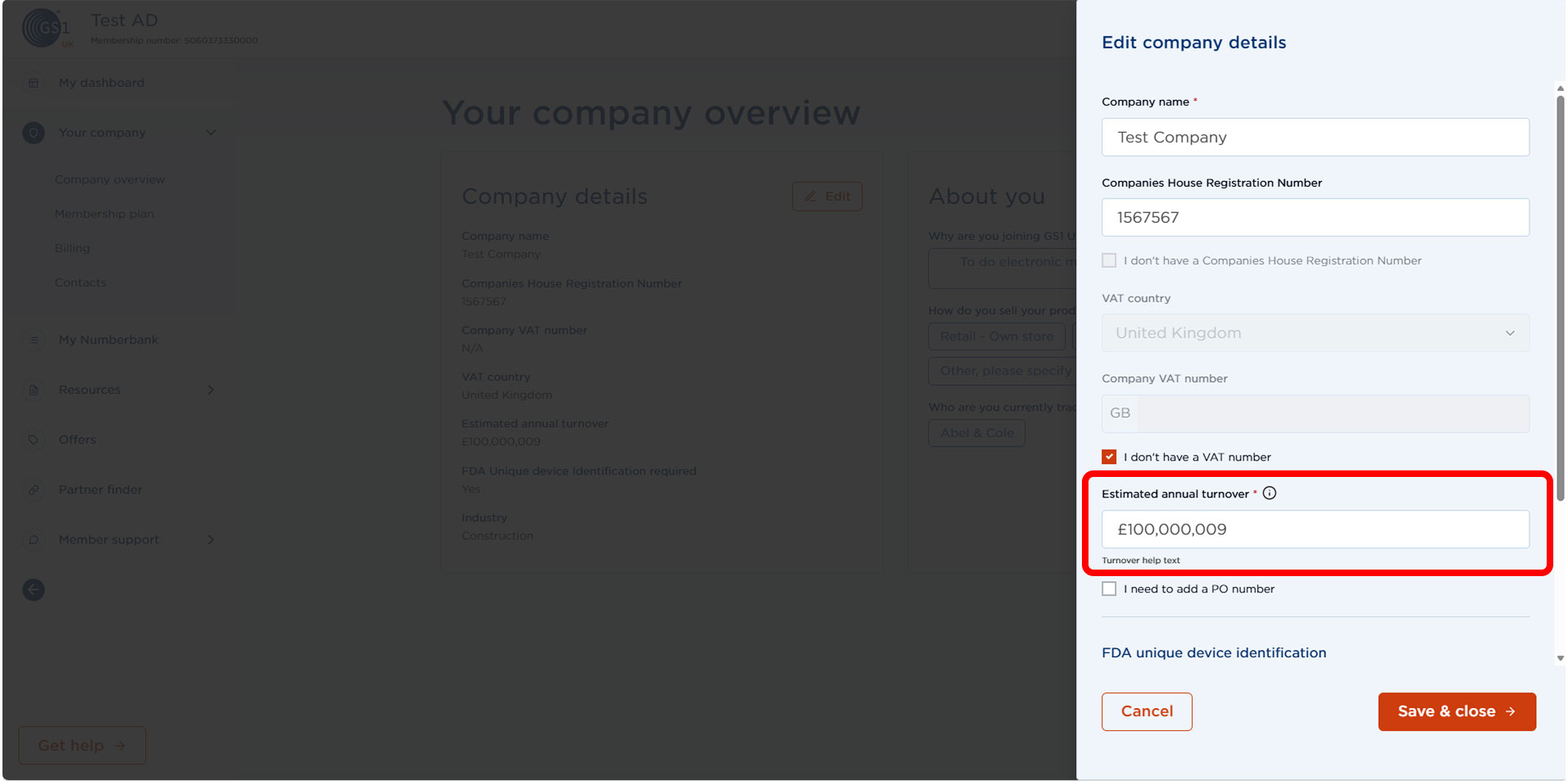
Enter your updated company turnover and select Save & close.
Reducing your company turnover
If you need to update your company turnover in order to change your subscription rate, please email your profit and loss report to support@gs1uk.org, and they will be able to assist with this.