
Direct Debit is the most timely and cost-effective method of payment. Customers who have a UK bank account can pay by Direct Debit.
Online
To set up a paperless Direct Debit Instruction for your subscription, please follow these steps.
- Log in to My GS1
- On the left of your dashboard, under Your company, select Membership plan
- You will be shown any active subscriptions
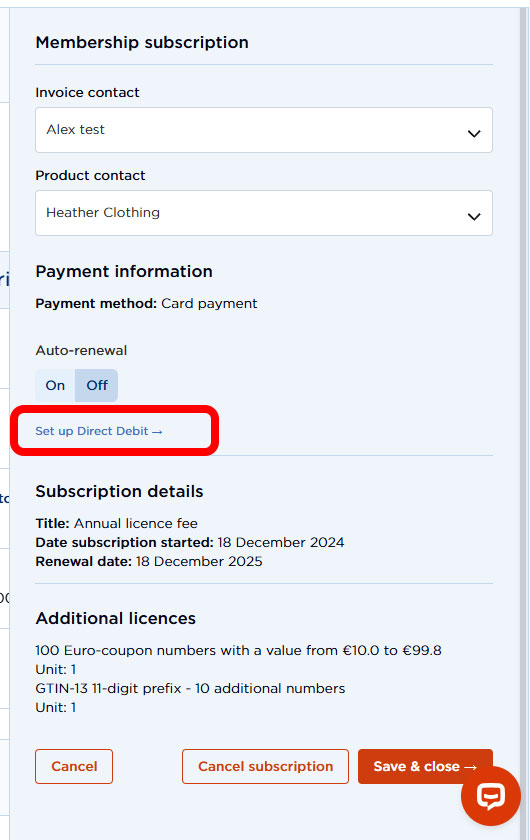
- Click Manage on the relevant subscription
- Under Payment information you will see the option to Set up Direct Debit
- Follow the process through to the end
By email
- Download the Direct Debit Instruction form
- Complete and sign it
Scan and email to finance@gs1uk.org, or post back to:
GS1 UK Ltd
Hasilwood House
60 Bishopsgate
London
EC2N 4AW
Our bank details are:
Account name: GS1 UK Limited
Account number: 93191125
Sort code: 20 06 05
Reference: your GS1 UK account number
Information for international payments:
SWIFT: BARCGB22
IBAN: GB34 BARC 2006 0593 1911 25
Barclays Bank Plc
Knightsbridge Branch
137 Brompton Road
London, SW3 1QF
Remittance advice should be sent to finance@gs1uk.org.
Members can pay their invoices online.
- Log in to My GS1
- On the left of your dashboard under Your company, select Billing
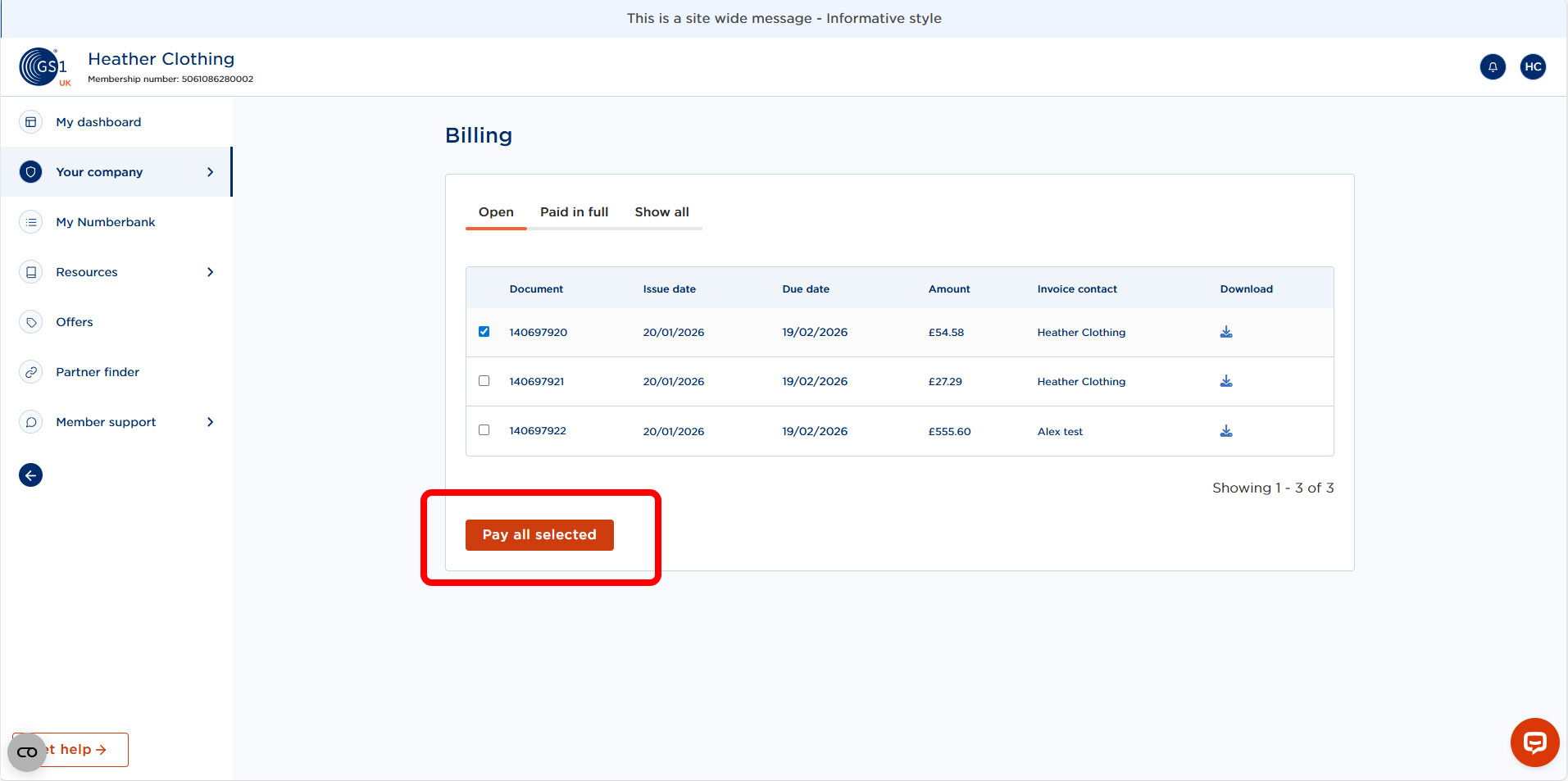
- You will be shown any pending invoices under the Open tab
- Click Pay on the relevant invoice, or select multiple invoices and Pay all selected
- Follow the payment process through to the end
- You also have the option of auto-renewal when paying by card. This can be toggled on or off when managing your subscription.
Payment by cheque can delay the payment process. Due to our local branch closure, there will be a delay in processing your cheque. Where possible, please choose a different payment method.
If you need to pay by cheque, please make cheques payable to GS1 UK Ltd.
Write your invoice number on the top right-hand corner of your cheque and write your GS1 UK account number on the back of your cheque.
Post the cheque to:
GS1 UK Ltd
Hasilwood House
60 Bishopsgate
London EC2N 4AW